


If you wait for an email, you’ve already missed most flash sales.
Most mistake fares and deep discounts last under 12 hours, some under an hour.
So speed matters: push alerts often beat email by minutes.
This post shows the apps that actually get you those seconds: the push-first apps (think Hopper, Skyscanner) and the curated newsletters (Going, Airfarewatchdog) worth pairing with them.
You’ll learn which to use, how to set alerts, and when to upgrade to paid tiers.
Top Mobile Apps That Send Instant Flight Flash Sale Alerts

Flight flash sales vanish fast. Most mistake fares and big discounts last under 12 hours. Some get pulled in under an hour. The difference between catching a $300 transatlantic round trip and missing it? How fast you get the alert.
The apps below are built for speed. Some use push alerts that show up in seconds. Others curate deals by hand and email them minutes after they’re found. Most let you track specific routes or watch your home airport for anything that pops.
-
Hopper – Mobile-first with push notifications and price predictions that claim 95% accuracy up to a year out. Offers paid “Price Freeze” to lock fares temporarily, usually $5 to $50 depending on the route.
-
Going (formerly Scott’s Cheap Flights) – Curated deal newsletter with mistake fares and deep discounts. Free tier covers 5 airports monthly. Premium ($49/year) and Elite ($199/year) tiers deliver faster alerts and more airports.
-
Google Flights – Free price tracking with email alerts and solid flexible-date calendar. Doesn’t show Southwest fares. No native mobile push unless you enable Google account notifications.
-
Skyscanner – Free app with push alerts and “Everywhere” search for open-ended deals. Daily alerts if your flight’s within 100 days, weekly beyond that.
-
Kayak – Free alerts with daily notifications by default. Shows a 7-day price forecast and supports flexible “anytime” date tracking across routes.
-
Airfarewatchdog – Human-curated U.S. domestic deals sent by email. Often finds mistake fares missed by automated scrapers. Free basic alerts, premium speeds delivery.
-
ExpertFlyer – Paid service (usually $8 to $12/month) focused on award seat alerts and fare-class monitoring. Not mainly for price drops but essential for frequent flyers chasing award space.
Push-first apps like Hopper and Skyscanner work best when you want instant mobile alerts. Curated services like Going and Airfarewatchdog excel at surfacing mistake fares you wouldn’t find yourself. Google Flights and Kayak sit in the middle, offering free tracking with solid search tools but slower email delivery. If you care about award seats more than cash prices, add ExpertFlyer.
Feature Comparison of Leading Flight Alert Apps

Features determine whether you see a deal before it’s gone. Some apps only track the exact route and dates you enter. Others monitor flexible windows or scan dozens of destinations at once. Notification type matters too. Push alerts arrive in seconds, emails can lag by minutes or more.
| App | Key Feature | Notification Type | Ideal User |
|---|---|---|---|
| Hopper | Price prediction + freeze option | Push, email | Mobile users who want instant alerts and short-term price locks |
| Going | Curated mistake fares | Email (faster with paid tier) | Flexible travelers hunting deep international discounts |
| Google Flights | Flexible-date calendar + price history graph | Planners who want visual price trends and broad search filters | |
| Kayak | Flexible “anytime” tracking + 7-day forecast | Email, push (app) | Travelers who want both search and alerts in one place |
| Skyscanner | “Everywhere” search for open destinations | Push, email | Exploratory deal hunters with open itineraries |
| ExpertFlyer | Award seat and fare-class alerts | Email, SMS (premium) | Award bookers and upgrade chasers |
Push notifications almost always beat email for speed. If you need to book within 30 minutes of a flash sale going live, prioritize apps that support mobile push and enable background refresh on your device. For mistake fares and curated deals, email-first services like Going are still valuable because they surface discounts you won’t catch by tracking one route at a time. Combining a push app with a curated newsletter gives you both instant alerts and human-spotted bargains.
Pricing and Subscription Options

Most flight alert apps are free for basic tracking. You create an account, set up a route or airport, and get notified when prices change. Free tiers work well if you’re tracking one or two trips and don’t mind email delivery.
Paid tiers unlock faster alerts, more airports, and access to curated mistake fares or premium-cabin deals. Typical annual subscriptions run about $40 to $90 for deal newsletters, and $8 to $12 per month for specialty services like ExpertFlyer. Some apps charge per-use fees instead, like Hopper’s price-freeze option that costs anywhere from $5 to $50+ depending on the route and hold length.
Free basic alerts track specific routes and dates with email delivery, limited to one or a few home airports. Google Flights, Kayak free tier, Skyscanner, Going free tier.
Paid deal newsletters deliver faster alerts, broader airport coverage, mistake fares, and premium-class deals. Typically $40 to $90/year. Going Premium runs $49/year, Elite $199/year. Dollar Flight Club has similar ranges.
Per-use price locks let you pay a small fee to freeze a fare temporarily while you decide. Fee depends on savings potential. Hopper Price Freeze typically $5 to $50.
Award/seat monitoring subscriptions offer monthly or annual plans for real-time award space and upgrade alerts. Around $8 to $12/month or discounted annual. ExpertFlyer.
Premium app tiers from some apps offer ad-free experience, priority support, or faster push delivery for a small monthly fee.
Start with free tools if you’re tracking one trip or a single home airport. Upgrade to a paid newsletter if you fly internationally more than once a year and want access to mistake fares that can save hundreds of dollars. If you’re chasing award seats or specific fare classes, the monthly cost of ExpertFlyer pays for itself the first time you snag a business-class award that would’ve cost $3,000 in cash.
Notification Speed and Accuracy

Flash sales often expire before most people check their email. A domestic mistake fare can be live for 2 hours, corrected, and gone. Speed is the difference between booking and missing out.
Apps use different notification systems. Push notifications sent through a mobile app usually arrive within seconds to a few minutes of a price drop being detected. Email alerts can lag by minutes to tens of minutes, especially if the app batches updates or if your inbox filters slow delivery. SMS is rare and may add carrier delays.
The fastest apps check prices continuously and push alerts as soon as thresholds are crossed. Hopper and Skyscanner both offer near-instant push. Kayak sends daily emails by default but also supports push through its app. Google Flights emails you when tracked prices change, but there’s no guarantee of sub-minute delivery. Curated services like Going rely on human review, so even paid tiers may take a few minutes to send an alert after a deal’s spotted.
Instant push (seconds to a few minutes) comes from Hopper, Skyscanner, Kayak app notifications. Best for catching short-lived sales.
Near-real-time email (minutes) arrives via Going paid tiers, Airfarewatchdog premium, Google Flights. Fast enough for most flash sales if you check email regularly.
Batched or hourly updates happen when some free tiers aggregate alerts and send once or twice a day. Not ideal for mistake fares.
Daily digest is Kayak free default, Skyscanner for flights beyond 100 days. Works for planning but too slow for flash sales.
If you’re serious about flash sales, enable push notifications on at least one app and allow background refresh so alerts come through even when the app’s closed. Pair that with an email alert service as backup.
Supported Airlines and Coverage Differences

Not every app tracks every airline. Some aggregators have deals with major carriers but miss low-cost airlines or regional operators. Others focus on specific regions and leave out international budget carriers.
| App | Airline Coverage Type | Region Focus |
|---|---|---|
| Google Flights | Broad (excludes Southwest) | Global, strong North America and Europe |
| Kayak | Broad (some LCCs missing) | Global |
| Skyscanner | Very broad, includes many LCCs | Global, especially strong in Europe and Asia |
| Going | Curated deals from majors and some LCCs | U.S. departures, international destinations |
| Hopper | Major carriers and select LCCs | North America and popular international routes |
The biggest gap is Southwest Airlines. Southwest blocks its fares from third-party aggregators, so Google Flights, Kayak, Skyscanner, and most alert apps won’t show Southwest deals. If you fly Southwest regularly, check southwest.com directly or use their native app for fare tracking. Low-cost carriers like Allegiant, Frontier, or Spirit may appear inconsistently across apps. Regional carriers and small charter operators are often missing entirely.
Airline variety directly affects how many deals you see. If your home airport’s served by a mix of full-service and budget carriers, using an app with broad coverage (like Skyscanner) increases your chances of catching a flash sale. If you’re flexible about which airline you fly, track multiple apps to cover more ground.
How to Set Up Flash Sale Alerts
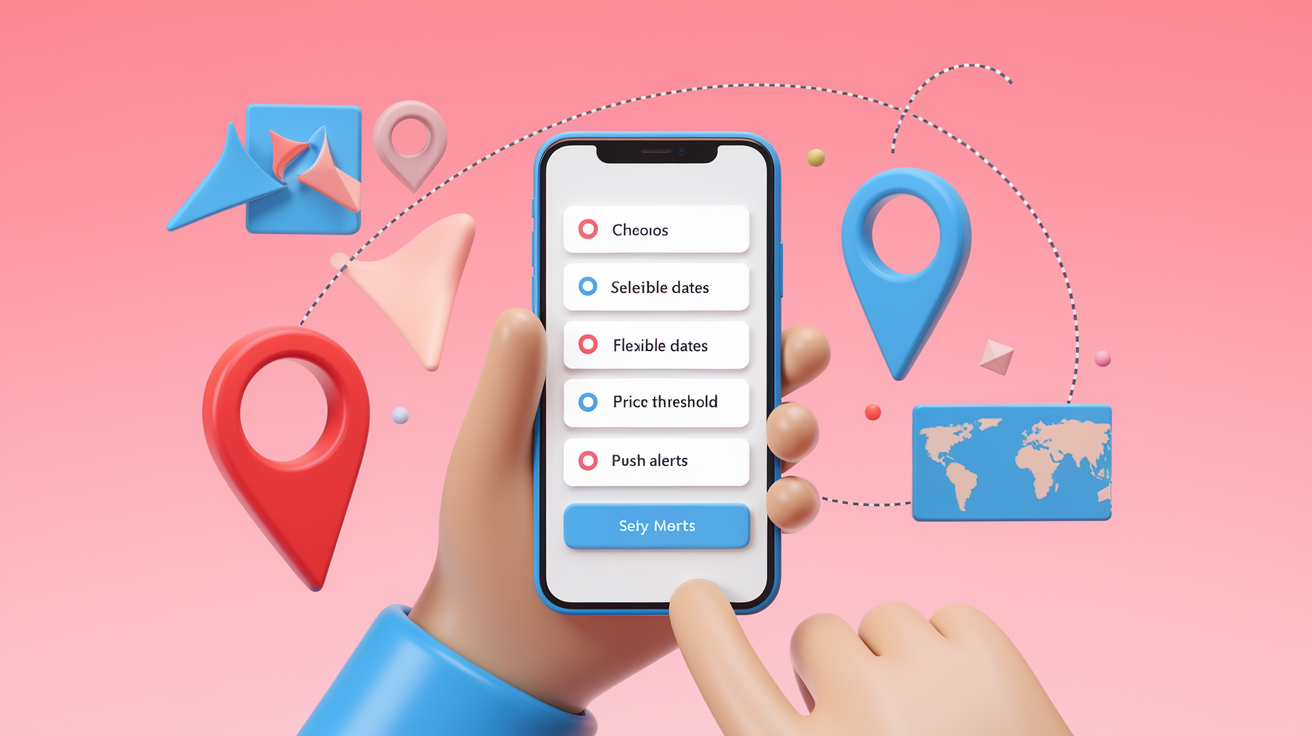
Setting up alerts takes about 5 minutes per app. The process is similar across most platforms, but small differences in settings can affect how many deals you catch.
Start by choosing your home airport and any nearby alternates. If you live near multiple airports, track all of them to multiply your chances of finding a sale. Next, decide whether you want route-specific alerts or open-destination monitoring. Route tracking’s better for planned trips. Open monitoring works when you’re flexible about where to go.
Download the app or visit the website and create an account. Required for Kayak, Skyscanner, Going. Optional but recommended for Google Flights and Hopper.
Enter your home airport or select up to 2 or 3 nearby airports to monitor, like your home airport plus the closest hub.
For route-specific alerts, enter your destination and a flexible date window. Usually ±3 to 7 days around target dates.
Set a price threshold or percentage-drop trigger. Notify when price is $250 round trip or less, or when price falls 20% or more.
Choose notification method and enable push notifications on your phone. Also verify email alerts are active as backup.
For curated services like Going, select your subscription tier and confirm which airports to follow.
Test the setup by checking that you receive a confirmation email or test alert, then adjust frequency or filters if alerts are too noisy.
Track at least 2 routes or 2 destination regions to see more deals. If you only monitor one narrow route, you might wait weeks for a flash sale. Watching a few popular routes or an open “anywhere cheap” alert increases the odds you’ll catch something worth booking.
Pros and Cons of Popular Flight Deal Apps

Automated alerts save time and catch deals you’d never find manually. You don’t have to check airline sites every day or guess when prices will drop. Apps do the monitoring, and you get a notification when something changes. Many apps also show price history or predictions, so you can see whether a current fare’s actually a good deal or just average.
On the downside, predictions aren’t perfect. Hopper’s 95% accuracy claim is a vendor stat, and other apps don’t publish accuracy numbers at all. Some alerts turn out to be false positives. The price shown in the alert is gone by the time you click through to book. Free tiers can send too many emails or include marketing messages mixed with real deals. And no app covers every airline, so you’ll miss some sales if you rely on one tool.
Instant push alerts can arrive within seconds of a price drop, giving you time to book before a mistake fare’s corrected.
Curated newsletters surface deep discounts and mistake fares you wouldn’t find by searching on your own.
But email alerts can lag by minutes or longer, and some deals expire before the alert even arrives.
Free tiers may exclude the best deals (mistake fares, business-class sales) or limit you to one home airport.
Southwest and some low-cost carriers are missing from most aggregators, creating coverage gaps.
Flexible-date tracking and price calendars help you spot the cheapest days to fly without checking every date manually.
Tips to Maximize Savings Using Flash Sale Apps

Flexibility is the biggest factor. If you can shift your travel dates by a few days or fly from a nearby airport, you’ll see far more deals. Flash sales almost never hit the exact route and date you want. They appear on random routes, often with short booking windows.
Monitor 3 airports. Your home airport plus 2 nearby or hub airports to triple your chances of catching a sale.
Set alerts for flexible date windows (±3 to 7 days) instead of locking into one specific weekend.
Enable push notifications on at least one app so you get instant alerts, not delayed emails.
Be ready to book within 5 to 30 minutes of an alert for mistake fares. Many are corrected in under an hour.
Use the 24-hour free cancellation window offered by most U.S. carriers and OTAs to hold a fare while you finalize plans.
Combine a push-first app (Hopper or Skyscanner) with a curated deal service (Going or Airfarewatchdog) to catch both automated drops and human-spotted bargains.
Follow deal services on Twitter or Telegram for overlapping instant alerts. Mistake-fare communities often post there first.
If an app offers a price-freeze option, compare the freeze fee to your expected savings. A $10 freeze fee makes sense if you’re locking in $150 of savings and need time to check PTO.
Act fast when you get an alert, but verify the total cost before booking. Check baggage fees, seat-selection fees, and whether the fare’s nonrefundable. Flash sales and mistake fares can disappear in minutes, but a deal that costs more after fees or leaves you stuck with a nonrefundable ticket isn’t always worth the rush.
Final Words
Grab your phone—this guide put the top apps that send instant flash‑sale alerts front and center, compared features, pricing, speed, and airline coverage, and walked you through setup and pros/cons.
You now know which apps notify fastest, what paid tiers add, and simple setup steps to catch short‑lived deals.
Use the best apps for flight flash sale notifications to watch specific routes, enable push alerts, and stay flexible with dates. Do that and you’ll spot bargains faster—happy deal hunting.
FAQ
Q: Is there a way to be notified of cheap flights?
A: There is a way to be notified of cheap flights: use airfare-alert apps (Hopper, Skyscanner, Kayak), set route price alerts, enable push/email notifications, follow airlines on social, and subscribe to flash-sale mailing lists.
Q: Is there an app that predicts flight prices?
A: Yes, apps like Hopper and Kayak predict flight prices using historical data and algorithms; predictions guide buy-or-wait decisions but aren’t perfect, so verify availability and total cost before booking.
Q: Is there a better app than FlightAware?
A: A better app than FlightAware depends on your goal: FlightAware tracks flights in real time, while Hopper, Skyscanner, Kayak or Going are better for price alerts and flash-sale notifications.
Q: How risky are last minute flight deals?
A: Last-minute flight deals are moderately risky: they can save money but often have limited seats, stricter rules, fewer refundable options, and unpredictable schedules—best if you’re flexible and can travel on short notice.